
Product Reviews
I've Used a Standing Desk for 10 Years. Here's What Happened When I Finally Upgraded.
UPLIFT sent me a V3 to review, and it turns out a decade of "it goes up, it goes down" was not the same thing as actually having a good desk.
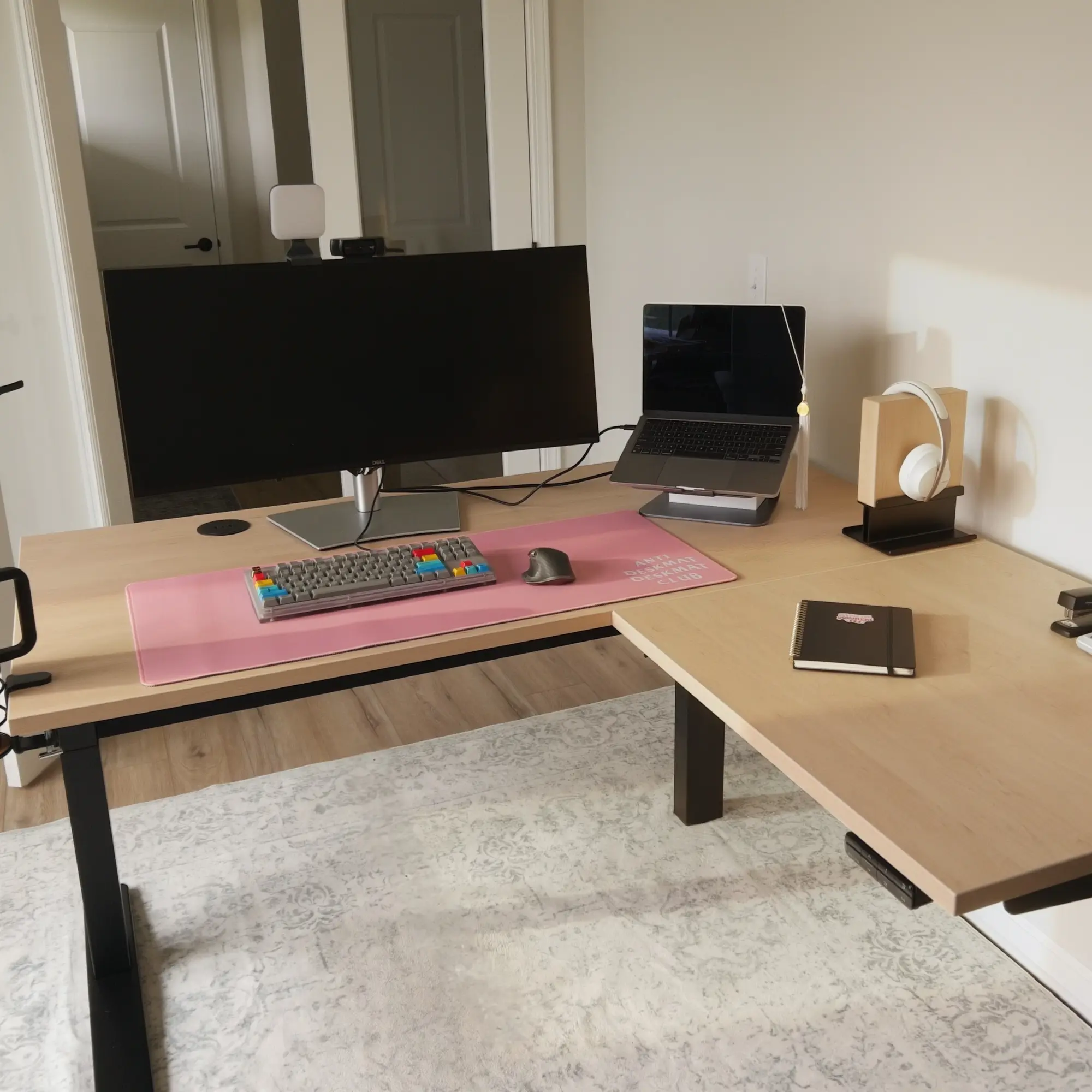
I have been using standing desks for the last 10 years, but for almost all of that time, mine was a hand-me-down. A no-frills, single-motor commercial model that I picked up from an old company when they were moving offices. It did the job. It went up, it went down, and honestly, I never thought about it much beyond that.
So when UPLIFT offered to send me a V3 to review, I was curious. Would a newer, higher-end standing desk actually feel different, or is a desk just a desk once you get used to it?
Spoiler: it is not just a desk.
The Review
Picking the Configuration
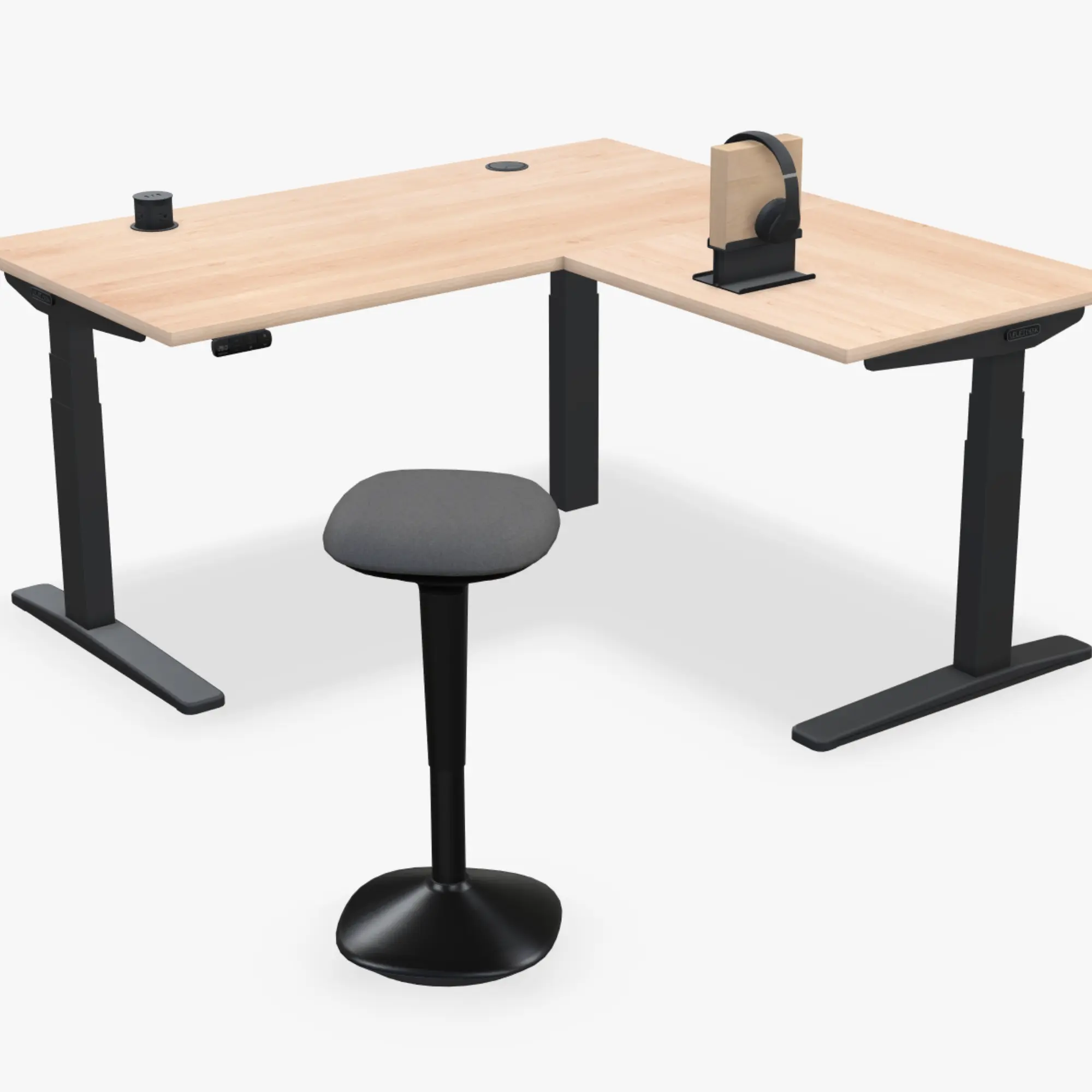
I knew going in that I wanted an L-shaped setup. I landed on the black frame, a Maple laminate top, and a 60 x 60 inch layout, with 30 inch depth on both the main desk and the return.
The ordering process is where you realize how deep the rabbit hole goes with UPLIFT. There are a lot of choices, which is great, but it also means the total can climb fast if you just click "upgrade" on everything in sight. I went with laminate over a fancier top because that felt like an easy place to save money. The 30 inch depth, though, was non-negotiable for me. Once you get used to that kind of space, going back feels impossible.
For reference, my 60 x 60 inch L-shaped configuration starts around $1,278 on UPLIFT's configurator, and I added the Engage stool for another $129. So you are looking at roughly $2,100 territory, and that is before you even touch half the options still sitting there tempting you.
Unboxing and Assembly
The packaging held up well. I work in purchasing and management for a small business, so I know exactly how often deliveries show up dented, scratched, or falling apart. Everything from UPLIFT arrived intact. The only note I'd give is that the boxes holding the desktop pieces could use a bit more tape, since the packaging had started sliding open at one end during shipping. That said, UPLIFT lines the inside with dense honeycomb cardboard, so the desktops themselves were fully protected regardless.
Assembly is where you realize this is a much more substantial desk than what I had before. I got most of it together myself, but I would still call this a two person job. There is a point where you have to flip the pieces and slide the frame together, and there is no getting around needing a second set of hands for that step.
One thing that stood out during assembly: most of the frame attaches to the desktop using inset receptacles instead of just driving screws straight into the wood. It makes the whole thing feel more deliberate, less like it was designed to be disposable. The one exception is where the two sides of the L shaped top connect to each other, which still uses wood screws directly into the desktop. That is probably the single detail I would love to see UPLIFT improve next.
The Stability Is Almost Ridiculous
Once it was assembled, the first thing I noticed was how still it is. There is no wobble at all. It is honestly a little funny how solid it feels. I can lean on the corner where the two sides of the L meet, stand at full height, or type with a big curved monitor and a heavy brass weight sitting on the desk, and nothing shakes or shimmies. Coming from my old single motor desk, which would sway if I typed too aggressively or leaned on it even slightly, this is a massive upgrade.
My one college physics class tells me a lot of that stability comes from the three leg design on the L shaped frame. Since the legs form a triangle, and each leg gets its own motor, the whole structure feels planted in a way I was not expecting. Between the strong, smooth motors and a solid base, I cannot say exactly which part deserves the most credit, but whatever UPLIFT is doing here, it works.
Quiet Motors, Fast Presets
The motors are impressively quiet, which matters even more given there are three of them working together. If I am on a call, I would not hesitate to hit one of my saved standing or sitting presets on the keypad. The desk moves fast enough that switching positions never feels like a whole event, and the three motors stay in sync without any lag or uneven movement.
A Height Range for Everyone
The V3's range is huge on both ends. It goes low enough that I have seen people using it while sitting on a floor cushion. I have not tried that myself, but the top end matters more to me. I am 6'3", and I was genuinely impressed with how high it goes while staying just as sturdy at full height, even when I lean on it.
Depth Matters More Than You Think
The 30 inch depth ended up being exactly as important as I expected, maybe more. I notice it every single day. There is more room between me and my monitor, more usable space around the keyboard, and the whole setup feels less cramped. This was one of the few options I knew I cared about before ordering, and living with the desk has only confirmed it.
The Accessories Worth Mentioning
The FlexMount Cable Manager came included with my setup, and it is strong enough to hold real, heavy power cords, not just a couple of lightweight USB cables. It comes with adhesive mounts and hook and loop wraps, so you can actually organize your cables instead of shoving them into a tray and hoping for the best.
The Engage stool was a separate add on, but I have really liked having it around. You can sit on it normally or lean on it when you do not feel like fully sitting or standing. I did not expect to use it as much as I have, but it has become a nice middle ground between the two.
So, Is It Worth It?
For me, yes. This is definitely premium standing desk money, and I am not going to tell everyone they need to spend this much on a desk. UPLIFT backs the V3 with a 15 year warranty covering the frame, motors, electronics, and desktop, which helps make the case, but you still have to decide which parts of the desk actually matter to you.
If you are coming from an older single motor desk, want an L-shaped setup, are tall enough that height range is an actual issue, or just really care about a desk that does not move when you lean on it, the V3 feels like a meaningful upgrade. If none of that matters much to you, a simpler configuration will probably get you most of what you need for less money. UPLIFT will happily sell you a smaller desk that still carries a lot of what I raved about here, at a price that fits your budget.
My biggest piece of advice: do not treat every option in the configurator like it carries equal weight. I would choose the laminate top again without hesitation. I would absolutely choose the 30 inch depth again. And after living with the UPLIFT V3 frame, I would have a hard time going back to anything else. When the V4 comes out, I will already be in the pre order queue, because at this point, I trust UPLIFT that much.
Build Your Own UPLIFT V3
Configure your setup, choose your top, and back it with UPLIFT's 15-year warranty.
Shop UPLIFT V3