Product preview · Informational coverage
SOTSU FlipAction Pro 16" Gen 2
A 16-inch 2560x1600 120Hz portable monitor with 100% DCI-P3 and even bezels on all four sides. $599.50.
Last Updated: August 2026
TL;DR
- The FlipAction Pro 16" Gen 2 delivers 2560x1600 resolution at 16:10 aspect ratio with 120Hz refresh rate, 400 nits brightness, 100% DCI-P3 color gamut, and 1500:1 contrast in an anodized aluminum alloy body that is 0.5 inches thin and 930g before the stand.
- Single full-function USB-C connection powers the display and carries the video signal from a MacBook, iPad, or USB-C laptop with one cable, with adjustable 0° to 180° pivot hinges and a compact 5.5 by 7.5-inch stand footprint for flexible positioning in any workspace.
- Mac users should note that macOS scaling may require BetterDisplay (third-party software) for optimal font size and HiDPI rendering at $249, with the world's first even-bezel portable monitor design for an uninterrupted edge-to-edge viewing experience.
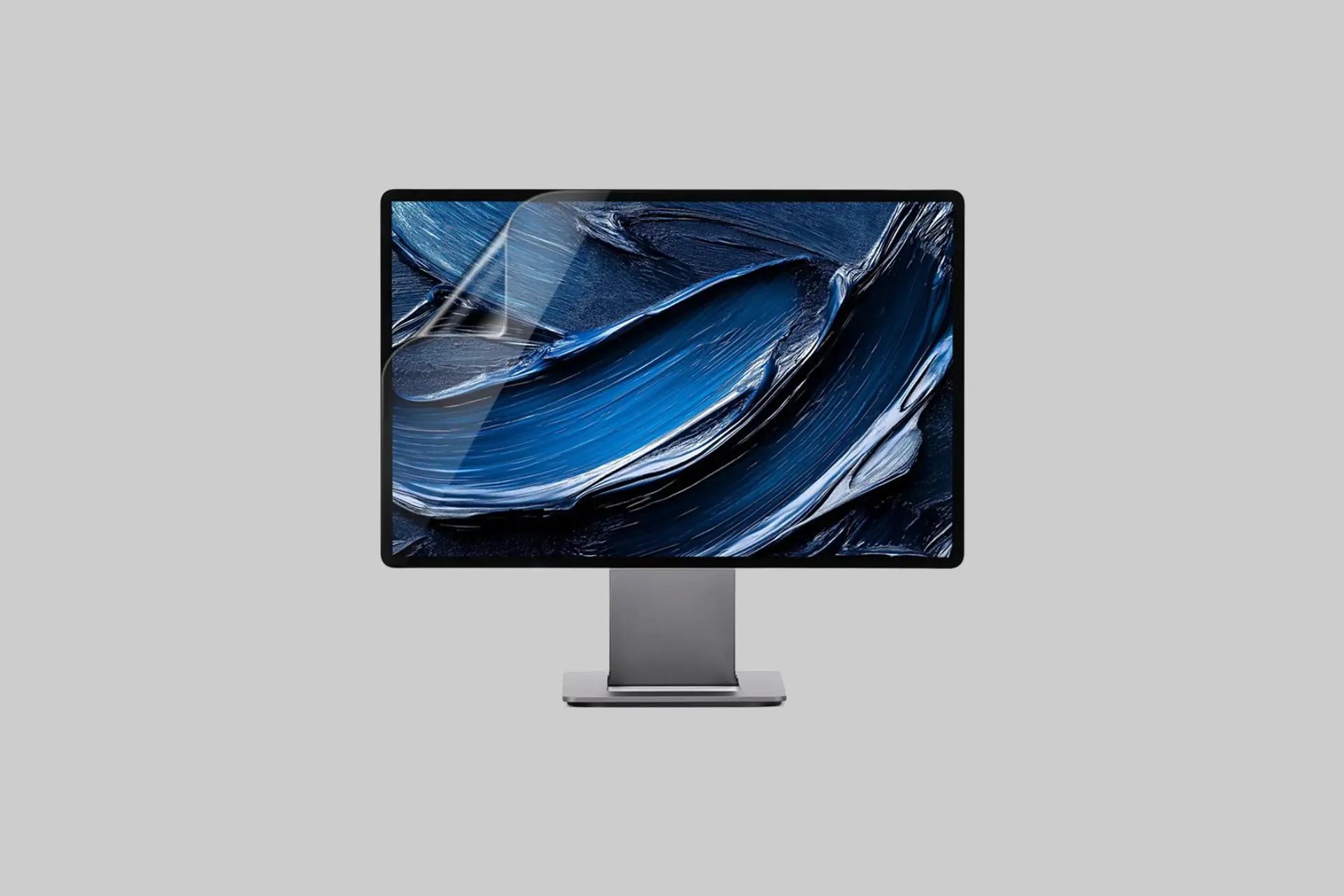
The SOTSU FlipAction Pro 16" Gen 2 is a 2560x1600 portable monitor at 16:10 aspect ratio with a 120Hz refresh rate, 400 nits brightness, 1500:1 contrast ratio, 100% DCI-P3 color gamut, 1.07 billion colors, an anodized aluminum alloy body measuring 14.4 by 9.3 by 0.5 inches and weighing 930g with the stand at 1,365g total, single USB-C connectivity, adjustable 0° to 180° pivot hinges, an even-bezel design, and a four-button OSD for display adjustment, at $249. If you have been looking for a portable monitor that holds up to a MacBook's Retina display alongside it without embarrassing itself, the FlipAction Pro 16" Gen 2 is one of the most compelling answers in 2026.
SOTSU FlipAction Pro 16" Gen 2 at a Glance
- Price: $249
- Resolution: 2560 x 1600 (16:10 aspect ratio)
- Refresh Rate: 120Hz
- Brightness: 400 nits
- Contrast Ratio: 1500:1
- Color Gamut: 100% DCI-P3
- Colors: 1.07 billion
- Power Consumption: 11W max
- Product Size: 14.4 x 9.3 x 0.5 in
- Monitor Weight: 930g
- Stand Weight: 435g
- Build Material: Anodized aluminum alloy
- Connectivity: Full-function USB-C (power and video, single cable)
- Pivot Range: 0° to 180°
- Stand Footprint: 5.5 x 7.5 inches
- OSD: 4-button intuitive control
- Mac Note: BetterDisplay (third-party) recommended for optimal scaling
- Best For: Digital nomads, MacBook users, video editors, designers, dual-screen productivity on the go
What Is the SOTSU FlipAction Pro 16" Gen 2?
The FlipAction Pro 16" Gen 2 is SOTSU's flagship portable monitor, positioned specifically for professionals who travel with a MacBook or USB-C laptop and want a second display that matches the visual quality of their primary screen rather than being a compromise. SOTSU describes their design philosophy as less is more: premium materials, high performance, and minimalist execution rather than feature accumulation for its own sake.
The Gen 2 refinements bring the 16:10 2560x1600 resolution to 120Hz, an upgrade from 60Hz that makes the display feel immediately more responsive for scrolling, design work, and video editing workflows where frame rate affects perceived smoothness even outside of gaming contexts.
What Makes the FlipAction Pro 16" Different?
The even-bezel design is SOTSU's claimed first-in-category distinction for portable monitors. Most portable monitors have a notably thicker bezel at the bottom where the internals and OSD buttons are housed, which creates a visual asymmetry that becomes distracting during extended use. The FlipAction Pro 16" Gen 2 maintains consistent bezel width on all four sides, producing the edge-to-edge visual continuity that makes the display feel like a window rather than a framed screen.
The 16:10 aspect ratio is a deliberate choice for productivity-focused use over the 16:9 that most portable monitors offer. The additional vertical space compared to 16:9 means more lines of code visible without scrolling, more document content on screen, and a more natural aspect ratio for web browsing and writing. For MacBook users in particular, where the primary screen is also 16:10, the FlipAction Pro 16" Gen 2 extends the workspace at the same proportions rather than introducing an aspect ratio mismatch between the two screens.
The 100% DCI-P3 coverage at 400 nits and 1500:1 contrast is the display specification that makes it credible as a Retina-matching monitor for color-critical work. DCI-P3 is the color space used in professional video and design workflows, and 100% coverage means the display can render colors accurately across the full professional gamut without clipping. For photographers, video editors, and designers, that coverage is the specification that determines whether a secondary display is usable for color-critical decisions or only for reference and UI.
What Are the Key Features and Specs?
The 120Hz refresh rate at 2560x1600 and 100% DCI-P3 is the specification combination that most portable monitors at this size sacrifice somewhere. 120Hz at high resolution with full DCI-P3 requires a panel and processing chain that costs more to build than 60Hz alternatives, which is why most competing portable monitors in the $150 to $200 range offer one or two of these specifications but rarely all three together.
Single full-function USB-C connectivity means one cable from a MacBook or USB-C laptop carries the video signal, powers the display at up to 11W, and handles any data passthrough, keeping the cable setup genuinely minimal rather than requiring a separate power adapter. The 11W maximum power consumption is low enough that the display draws power from the laptop's USB-C port without significant battery drain impact.
The 0° to 180° pivot range with adjustable hinges allows the display to be positioned at any angle from flat on a desk to fully vertical, which covers landscape, portrait, and any intermediate tilt for different use contexts. The stand's 5.5 by 7.5-inch footprint is small enough for coffee shop tables and airplane tray tables without requiring the full desk real estate of a desktop monitor base.
The Mac Scaling Note
SOTSU includes a direct note for Mac users: macOS may not natively display the 2560x1600 resolution at optimal scaling without third-party assistance. BetterDisplay, a third-party utility that is not included with the monitor, allows users to enable HiDPI rendering at the correct scale factor for the display's pixel density. SOTSU's willingness to document this limitation transparently rather than hiding it is worth noting. The workaround is straightforward and BetterDisplay is a well-regarded tool in the Mac extended display community, but buyers should account for this additional setup step before first use.
How Does the FlipAction Pro 16" Compare to Other Portable Monitors?
Most portable monitors at 15.6 or 16 inches use 1920x1080 or 1920x1200 resolution at 60Hz with sRGB rather than DCI-P3 coverage. The FlipAction Pro 16" Gen 2's 2560x1600, 120Hz, 100% DCI-P3 combination represents a meaningful step up in display quality for each of those three specifications, at a $249 price that is higher than budget options but below premium portable monitor alternatives from brands like ASUS or LG at comparable specifications.
The anodized aluminum alloy build also differentiates it from plastic-bodied competitors that are lighter in weight but less premium in feel and durability. For professionals who carry the monitor daily alongside a laptop, the aluminum construction is the right material choice for long-term pack-and-go use.
Best Ways to Use the FlipAction Pro 16" Gen 2
The natural primary use is as a second screen alongside a MacBook or USB-C Windows laptop at a desk, coffee shop, co-working space, or hotel room, using the single USB-C cable to connect, power, and go. The even-bezel design makes the multi-monitor arrangement visually cohesive whether the displays are side by side or stacked.
The 0° to 180° pivot is particularly useful for portrait orientation coding and document work, where the tall narrow layout provides more visible lines without scrolling. For video editing, the 100% DCI-P3 coverage makes the FlipAction Pro 16" Gen 2 a credible color-accurate reference alongside the MacBook's primary screen rather than a reference-quality compromise.
Pros and Cons
- ✅ 2560x1600 at 16:10 for Retina-matching resolution and productivity aspect ratio
- ✅ 120Hz refresh rate for smooth scrolling, editing, and visual response
- ✅ 100% DCI-P3 at 400 nits and 1500:1 contrast for color-accurate professional work
- ✅ Even-bezel design for an uninterrupted edge-to-edge viewing experience
- ✅ Single USB-C cable for power and video from any USB-C laptop
- ✅ Anodized aluminum alloy body, 0.5 inches thin at 930g
- ✅ 0° to 180° pivot range for flexible positioning and portrait orientation
- ✅ 5.5 x 7.5-inch stand footprint for compact desk and travel use
- 🟡 Mac users need BetterDisplay (third-party, not included) for optimal HiDPI scaling
- 🟡 930g monitor plus 435g stand totals 1,365g, heavier than lightest portable options
- 🟡 Premium price at $249 compared to 1080p 60Hz alternatives
Who Is the SOTSU FlipAction Pro 16" Gen 2 Best For?
- MacBook users: 16:10 2560x1600 at 100% DCI-P3 matches the MacBook's display quality and proportions for a cohesive dual-screen setup anywhere.
- Digital nomads: Single USB-C connection, aluminum build, 0.5-inch profile, and compact stand footprint for professionals who set up in different locations daily.
- Video editors and designers: 100% DCI-P3 coverage for color-accurate work on a second screen without the quality gap of a sRGB portable monitor.
- Productivity-focused professionals: 16:10 aspect ratio and 120Hz refresh rate for a second screen that is genuinely pleasant to use for extended work sessions.
- Minimalist workspace builders: Even-bezel design, aluminum construction, and one-cable setup for a clean, uncluttered dual-screen arrangement.
Final Verdict: Is the SOTSU FlipAction Pro 16" Gen 2 Worth It?
The SOTSU FlipAction Pro 16" Gen 2 earns its positioning as a premium portable monitor by combining the three display specifications that most portable monitors sacrifice at least one of, 2560x1600 resolution, 120Hz refresh rate, and 100% DCI-P3 color coverage, with the even-bezel design, anodized aluminum build, and single USB-C simplicity that make it genuinely pleasant to use and carry daily.
The BetterDisplay requirement for Mac users is a real setup step worth knowing before purchase, not a dealbreaker but an honest limitation. At $249, the FlipAction Pro 16" Gen 2 is priced for the professional who wants Retina-quality portable display performance and is willing to pay the premium over 1080p 60Hz alternatives to get it. For that buyer in 2026, it is one of the most complete portable monitor options available.
About Previewer
Previewer is an independent product discovery platform featuring honest, in-depth reviews of emerging and noteworthy brands across technology, productivity, wellness, and lifestyle. Every product we feature is selected on merit, and our reviews are written to help real people make informed decisions, not to push a sale. If a brand is featured here, it's because we think it's worth your attention.