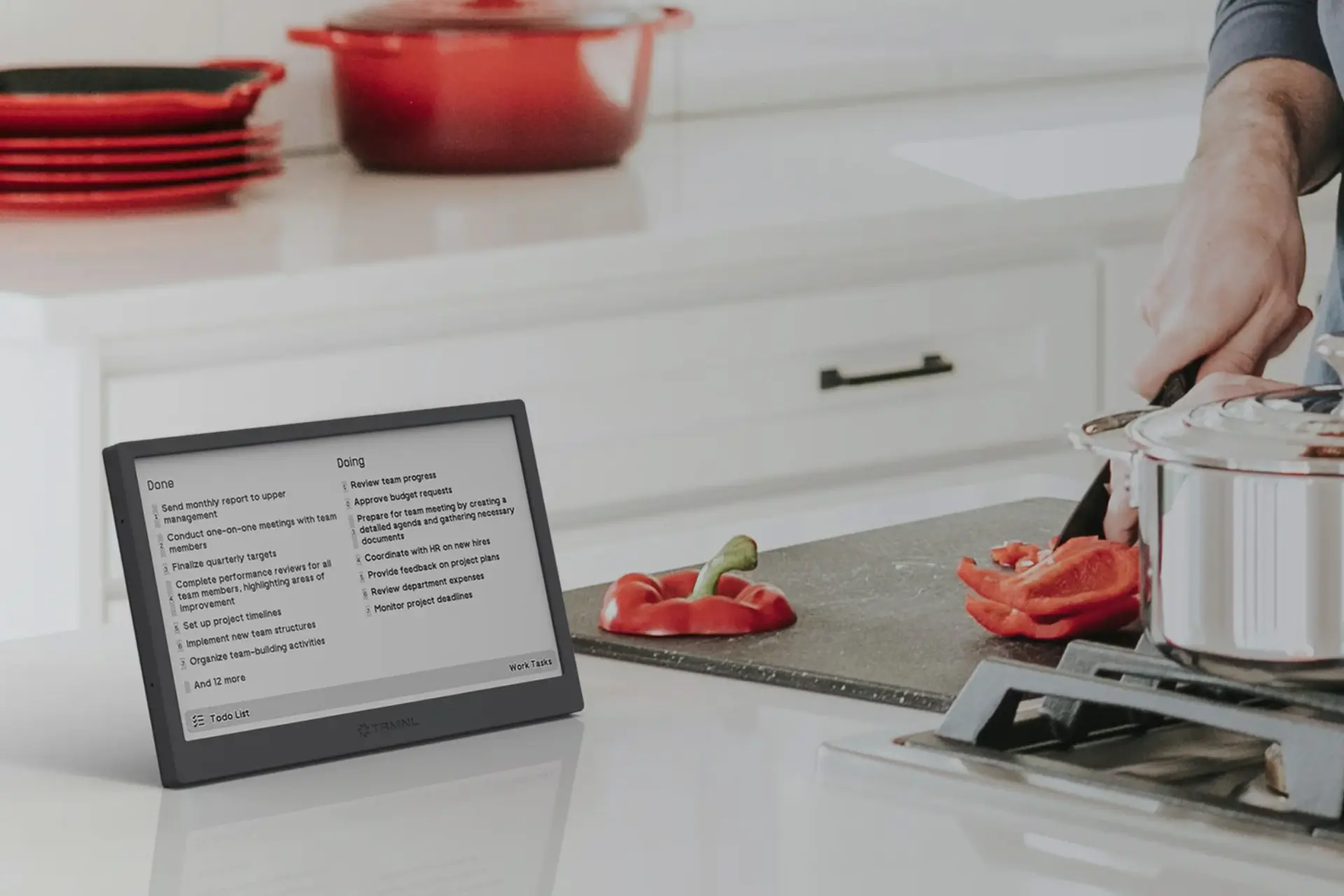
TRMNL Review: The Productivity Gadget That Gets Out of Your Way (2026)
An e-ink screen that runs for months on one charge and never begs for your attention. $139.
Last Updated: June 2026
TL;DR
- TRMNL features a 7.5-inch e-paper display with 4 grayscale and fast refresh, a soft-touch ABS enclosure in black, gray, or sage, a chrome-plated steel kickstand, and a 1800mAh battery upgradeable to 2500mAh lasting 2 to 6 months on a single charge.
- Over 1,000 plugins cover calendars, weather, task managers, smart home systems, sports, stocks, GitHub, transit, RSS feeds, and custom APIs. Custom plugins can be built in under 5 minutes, then self-hosted or shared in the public marketplace.
- Privacy-first one-way communication architecture prevents external access to your local network, including from TRMNL itself. The Unbrickable Pledge ensures the device remains functional and open source regardless of future company changes.
TRMNL is a 7.5-inch e-paper dashboard display with a soft-touch ABS enclosure, a chrome-plated steel kickstand, a 1800mAh battery lasting 2 to 6 months depending on refresh preferences, over 1,000 plugins, a privacy-first one-way communication architecture, and an Unbrickable Pledge that keeps the device functional regardless of what happens to the company. If you have been looking for a way to keep useful information visible on your desk without adding another source of notifications and distraction, TRMNL is the most purposefully designed answer to that problem available in 2026.
TRMNL at a Glance
- Price: $139
- Display: 7.5-inch e-paper, 4 grayscale, fast refresh
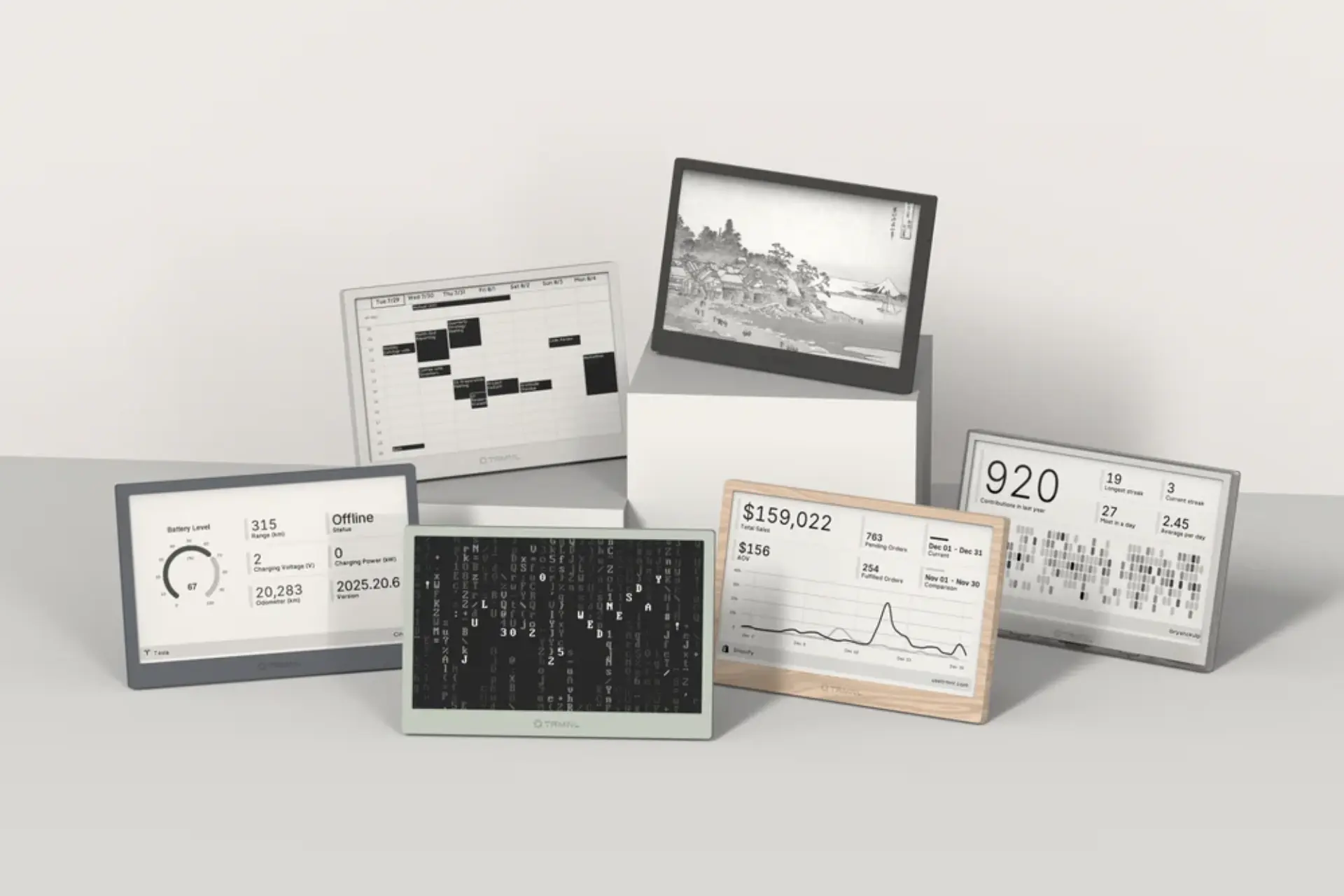
- Enclosure: Soft-touch ABS in black, gray, or sage
- Stand: Chrome-plated steel kickstand
- Battery: 1800mAh, upgradeable to 2500mAh
- Battery Life: 2 to 6 months depending on refresh preferences
- Charging: USB-C
- Plugins: 1,000-plus
- Privacy: One-way communication, local network not exposed
- Open Source: Yes, with Unbrickable Pledge
- Weight: 5.8oz (165g)
- Dimensions: 6.75 x 4.5 x 0.4 inches
- Best For: Remote workers, productivity enthusiasts, developers, smart home users, digital minimalists
What Is TRMNL?
TRMNL is a dedicated e-paper dashboard that displays information from connected services in a calm, glanceable format. Unlike a tablet, it does not encourage interaction. Unlike a smart display, it does not try to entertain you or surface notifications you did not ask for. It shows the information you configured, refreshes on your schedule, and otherwise stays out of your way.
The e-paper display uses the same underlying technology as Kindle e-readers: images remain visible without consuming power, allowing the device to wake, refresh data, and return to sleep. This is what enables battery life measured in months rather than days. The 1800mAh battery is upgradeable to 2500mAh for users who want longer intervals between charges or more frequent refreshes.
What Makes TRMNL Different?
Most productivity devices accidentally become distractions. A tablet starts as a dashboard and eventually becomes another place to check email, browse video, or open social media. TRMNL intentionally removes all of that. There is no app store, no touchscreen, no alerts competing for attention. The information is available when you look for it and invisible when you do not.
The privacy architecture is a meaningful differentiator for anyone who thinks carefully about what they connect to their home network. TRMNL uses one-way communication between client and server, meaning the device pulls information outward rather than exposing your local network to inbound connections. That design prevents external access, including from TRMNL itself, which is a stronger privacy commitment than most smart home devices make.
The Unbrickable Pledge addresses the long-term ownership concern that follows most connected devices: what happens when the company changes or shuts down. TRMNL has publicly committed to keeping the device functional and open source regardless of future company changes, which matters for a $139 purchase you expect to sit on your desk for years.
What Are the Features and Specs?
The display is a 7.5-inch e-paper panel with 4 grayscale levels and fast refresh capability. The soft-touch ABS enclosure comes in black, gray, and sage, with a chrome-plated steel kickstand that holds the device at a desk-friendly angle. The enclosure ships with a case opener included. A USB-C charging cable and microfiber cloth are available separately.
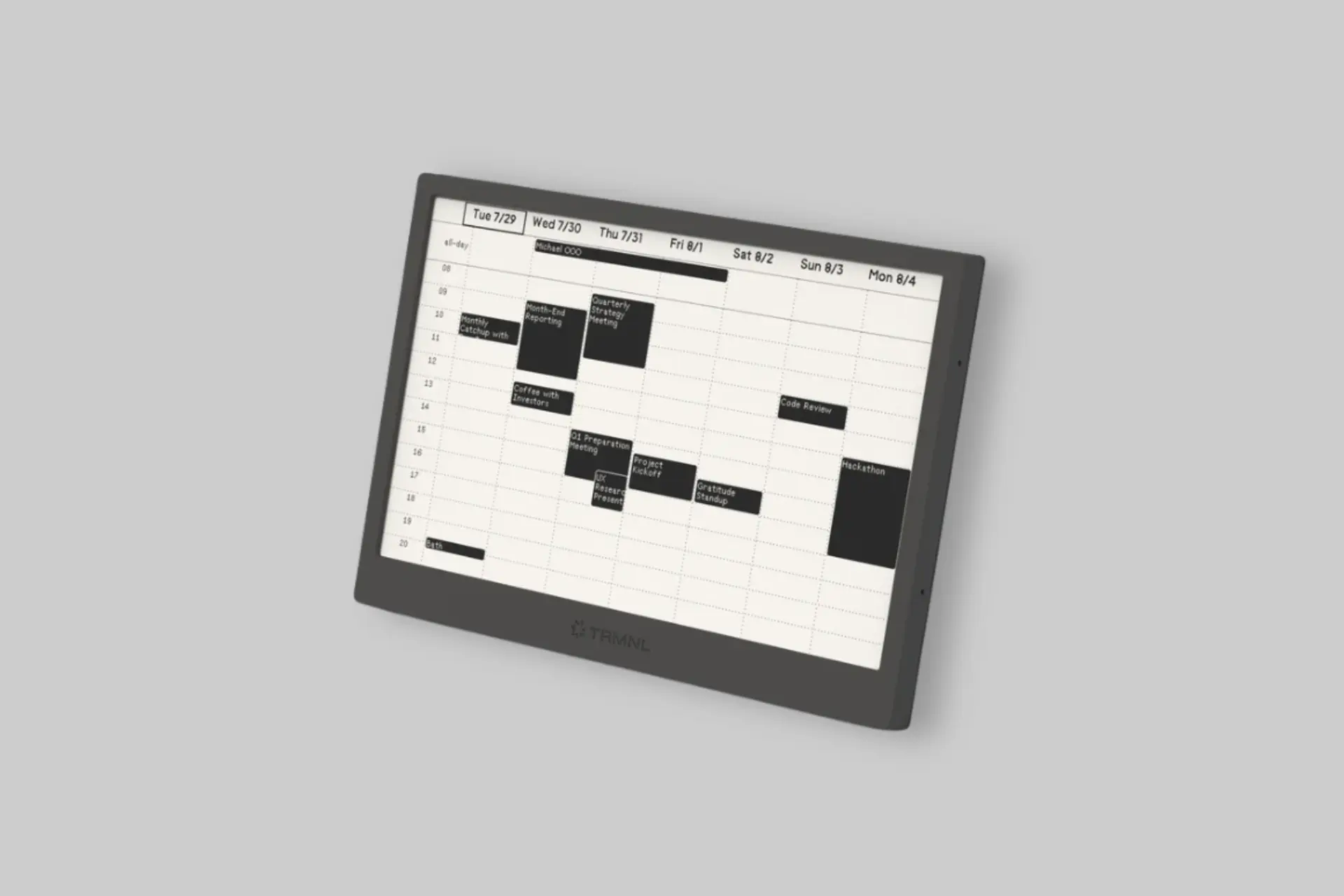
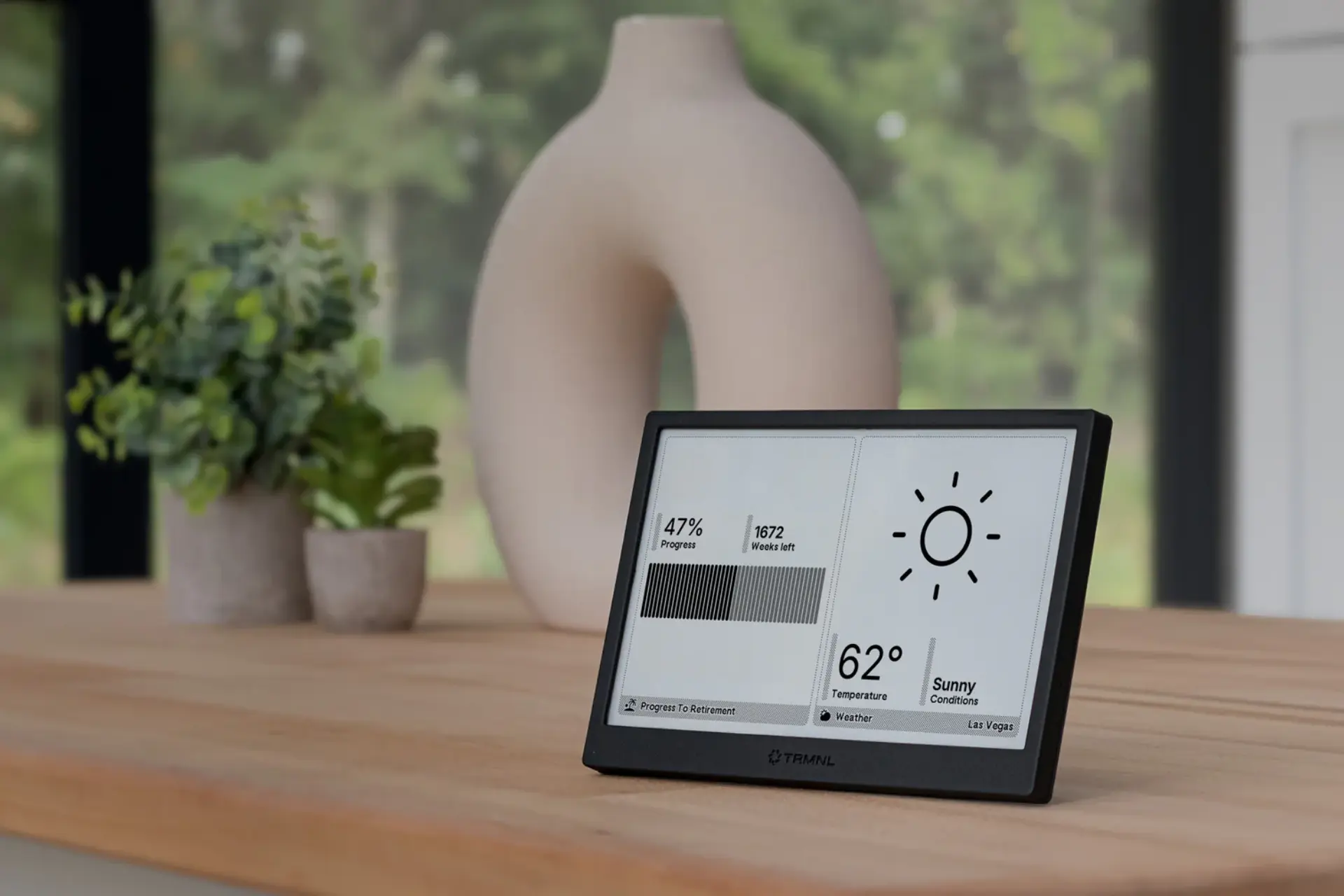
The plugin ecosystem covers over 1,000 integrations including Google Calendar, weather services, Home Assistant, task managers, stock portfolios, sports scores, GitHub activity, transit schedules, RSS feeds, and custom APIs. Multiple dashboard layouts and playlists can be configured to rotate throughout the day, so a morning view showing weather and calendar appointments can give way to an afternoon view focused on task management and work metrics without any manual switching.
For users who want more than the existing plugin library offers, custom plugins can be built using HTML and CSS in under 5 minutes, then self-hosted privately or shared with others through the public marketplace. The open-source nature of the ecosystem is a significant draw for developers, makers, and organizations deploying TRMNL as a team or operational display.
How Does TRMNL Compare to Smart Displays?
Smart displays and tablets are more capable and more distracting. They run app stores, push notifications, and encourage interaction in ways that make them difficult to keep in the background. TRMNL intentionally limits itself to one job and does that job with dramatically lower power consumption, no notification overload, and a physical presence that feels more like useful desk furniture than another screen competing for attention.
The tradeoff is straightforward: if you want to watch video, browse, or interact with apps, TRMNL is not the right device. If you want important information visible at a glance throughout the day without the cost of another distraction vector, TRMNL makes a case that is difficult to counter with a smart display.
Best Ways to Use TRMNL
The strongest use cases are situations where you want information available without having to unlock a phone or open a laptop to get it. Calendars, weather, task lists, transit times, smart home metrics, and team dashboards are the most popular configurations. Organizations also deploy TRMNL as conference room displays and operational status boards, where the e-paper display is readable in varied lighting without the glare and power requirements of a tablet running continuously.
The key design principle for getting the most out of TRMNL is choosing information you check frequently but do not need to interact with. Anything that passes that filter is a good candidate for the display, and the playlist system means the information can change with your schedule automatically.
Pros and Cons
- ✅ 2 to 6 months battery life from a 1800mAh cell upgradeable to 2500mAh
- ✅ Privacy-first one-way communication architecture, local network not exposed
- ✅ Unbrickable Pledge ensures long-term functionality and open-source access
- ✅ 1,000-plus plugins with custom plugin building in under 5 minutes
- ✅ Soft-touch ABS enclosure with chrome-plated steel kickstand in three colorways
- ✅ No notifications, no app store, no touchscreen, by design
- ✅ Strong developer and maker community with public plugin marketplace
- 🟡 $139 is a premium price for a single-purpose display
- 🟡 Not suited for users who want interactive functionality from their desk display
- 🟡 Advanced customizations require some technical knowledge
Who Is TRMNL Best For?
- Remote workers: Calendar and task visibility without opening another app or unlocking another screen.
- Productivity enthusiasts: A distraction-free surface for the information that matters most throughout the day.
- Developers and makers: Open-source architecture, custom plugin support, and a public marketplace for sharing builds.
- Smart home users: Household metrics and status information displayed permanently without mounting a powered tablet.
- Digital minimalists: Useful information on demand, zero notifications, no engagement loops.
Final Verdict: Is TRMNL Worth It?
TRMNL succeeds because it understands something most technology products have stopped prioritizing: not every screen should demand attention. The e-paper display, the months-long battery life, the one-way privacy architecture, the Unbrickable Pledge, and the deliberate absence of notifications and interaction all point toward a product built around a coherent philosophy rather than a feature checklist.
At $139 it is a meaningful investment for a device that shows information rather than running apps. For users who have been tolerating distraction as the cost of keeping information accessible, TRMNL makes the case that the cost is optional. If your goal is to reduce the number of times you pick up your phone while keeping the information you actually need visible, this is one of the more genuinely useful desk objects available in 2026.
About Previewer
Previewer is an independent product discovery platform featuring honest, in-depth reviews of emerging and noteworthy brands across food, wellness, gear, and lifestyle. Every product we feature is selected on merit, and our reviews are written to help real people make informed decisions, not to push a sale. If a brand is featured here, it's because we think it's worth your attention.