TL;DR
- Avioframe Gallery shows every aircraft flying over your home in real airline colors with flight number, route, altitude, and speed, around the clock, in 15.6-inch and 10.1-inch sizes with a removable wood-look frame and included table stand.
- More than ten views including Portrait, Duo Portrait, LED Board, Tower, Departure Board, Radar, Route, Blueprint, Spotter Card, Cockpit, Kids, and Track a flight, switchable from the touchscreen or your phone, with setup from your phone's browser in about three minutes and no app to install.
- Launching on Kickstarter November 5, 2026 at 14:00 UTC, with an AvioMini included for early backers in the first seven days, from Avioframe, whose Live, Paper, and AvioMini displays are already shipping to customers in more than ten countries. Check the Kickstarter page for current pricing.
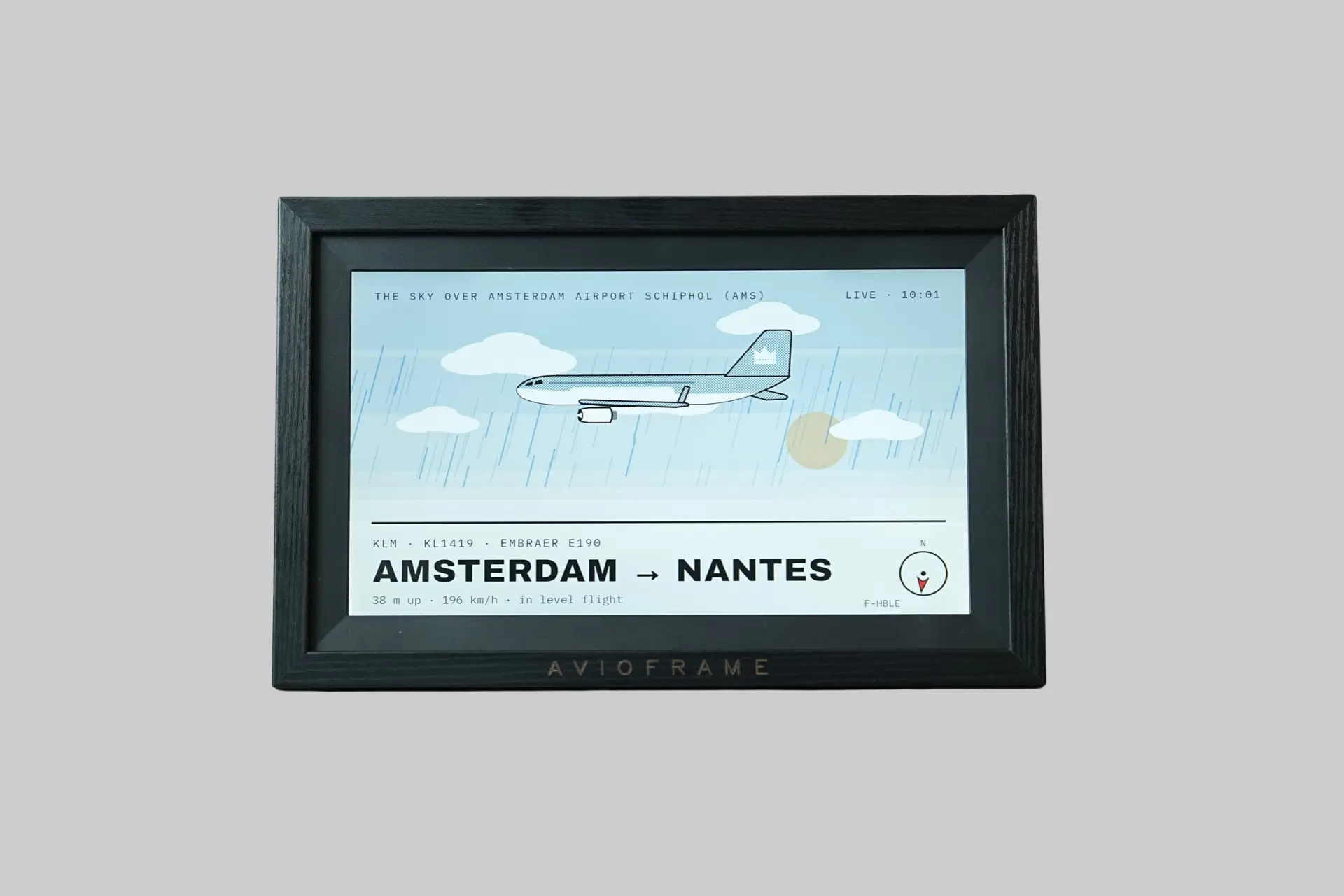
Avioframe Gallery is a live flight display for your home in two sizes, 15.6 inches and 10.1 inches, showing every aircraft flying over your home drawn in its real airline colors, with airline, flight number, route, altitude, and speed, with more than ten views, touchscreen and phone control, setup in about three minutes from your phone's browser with no app needed, and live flight data included with software updates over Wi-Fi, launching on Kickstarter on Thursday, November 5, 2026. If you have ever heard a plane overhead and wondered which one it was, Avioframe Gallery is built to answer that on a screen sized for a living room.
Avioframe Gallery at a Glance
- Sizes: 15.6 inch and 10.1 inch
- Design: Black, with a removable wood-look frame
- Stand: Table stand included
- Shows: Airline, flight number, route, altitude, and speed in real airline colors
- Views: Portrait, Duo Portrait, LED Board, Tower, Departure Board, Radar, Route, Blueprint, Spotter Card, Cockpit, Kids, Track a flight, and more
- Control: Touchscreen or phone browser
- Settings: Location, airport focus, aircraft types, range, view, and picture interval
- Setup: About three minutes from your phone, no app needed
- Data and Updates: Live flight data included, software updates over Wi-Fi
- In the Box: Display, table stand, power supply
- Kickstarter Launch: November 5, 2026, 14:00 UTC
- Campaign Ends: November 26, 2026, delivery planned December 2026
- Early Backers: AvioMini included for first seven days (until November 12)
- Pricing: See the live Kickstarter page
- Best For: Plane spotters, aviation fans, families near a flight path, anyone who wants a conversation piece for the living room
What Is Avioframe?
Avioframe makes dedicated displays that show what is flying over your home. The Gallery is the new, large model. The company's Live, Paper, and AvioMini displays are already with customers in more than ten countries, which gives the Gallery a shipping track record to build on. It is a crowdfunded launch, but the maker is not new to delivering hardware.
What Makes Avioframe Gallery Different?
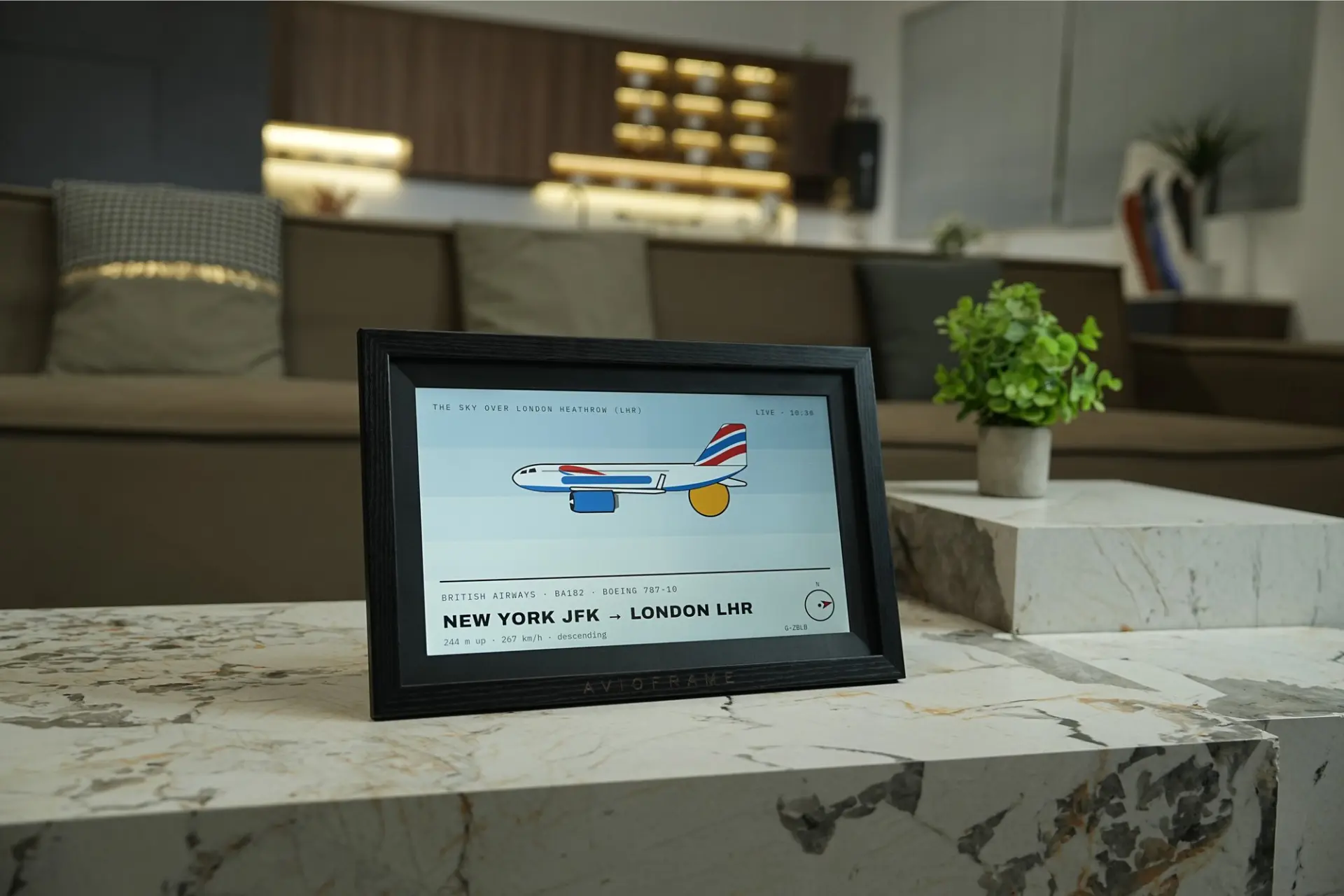
Most flight trackers live on a phone or a laptop and need you to go and look. Avioframe Gallery turns the same information into something ambient. It sits on a shelf or a table, and a plane passing overhead shows up on screen with the airline's livery drawn in full. At 15.6 inches, it is large enough to read from across a room, which the smaller Avioframe displays are not designed to do. The result looks closer to a piece of home decor than to a gadget.
What Do the Views Look Like?
The range of views is the feature that keeps Avioframe Gallery from being a single-trick display. Portrait and Duo Portrait draw the aircraft as a poster, with Duo Portrait showing two flights at once. LED Board and Departure Board borrow the look of airport signage. Radar shows traffic around you, and Tower and Cockpit offer other angles on the same sky. Route traces a flight's path, Blueprint gives a technical drawing look, and Spotter Card works like a collector card for the aircraft you catch. Kids is a friendlier view for younger viewers. You switch between views on the touchscreen or from your phone.
Track a flight is the mode that makes it more than a passive display. You pick a flight, and Avioframe Gallery follows it along its route, which is a good fit for watching a relative's plane arrive or tracking a connection.
How Does Setup and Control Work?
Setup runs from your phone's browser, so there is no app to install. You plug the display in, enter your Wi-Fi credentials and address, and your sky appears. Avioframe puts the whole process at about three minutes. From there you can set your location, focus on a particular airport, choose which aircraft types to show, set the range, pick a view, and set how often the picture changes. The same settings are available on the touchscreen, so you do not need a phone at hand to adjust it day to day.
You can try the live data for your address now at avioframe.com/try before the Kickstarter launches, which lets you see how much traffic passes overhead before committing to a backing decision.
How Does the Flight Data Work?
Avioframe's displays read the open ADS-B network, the signal aircraft broadcast to share their position and identity, and match it to your address. Live flight data is included with Avioframe Gallery. As with any display built on ADS-B, what you see depends on where you live. Homes near an airport or a busy flight path will see far more than homes in quieter airspace, which is why the try-before-you-back tool at avioframe.com/try is worth using first.
What Is the Design Like?
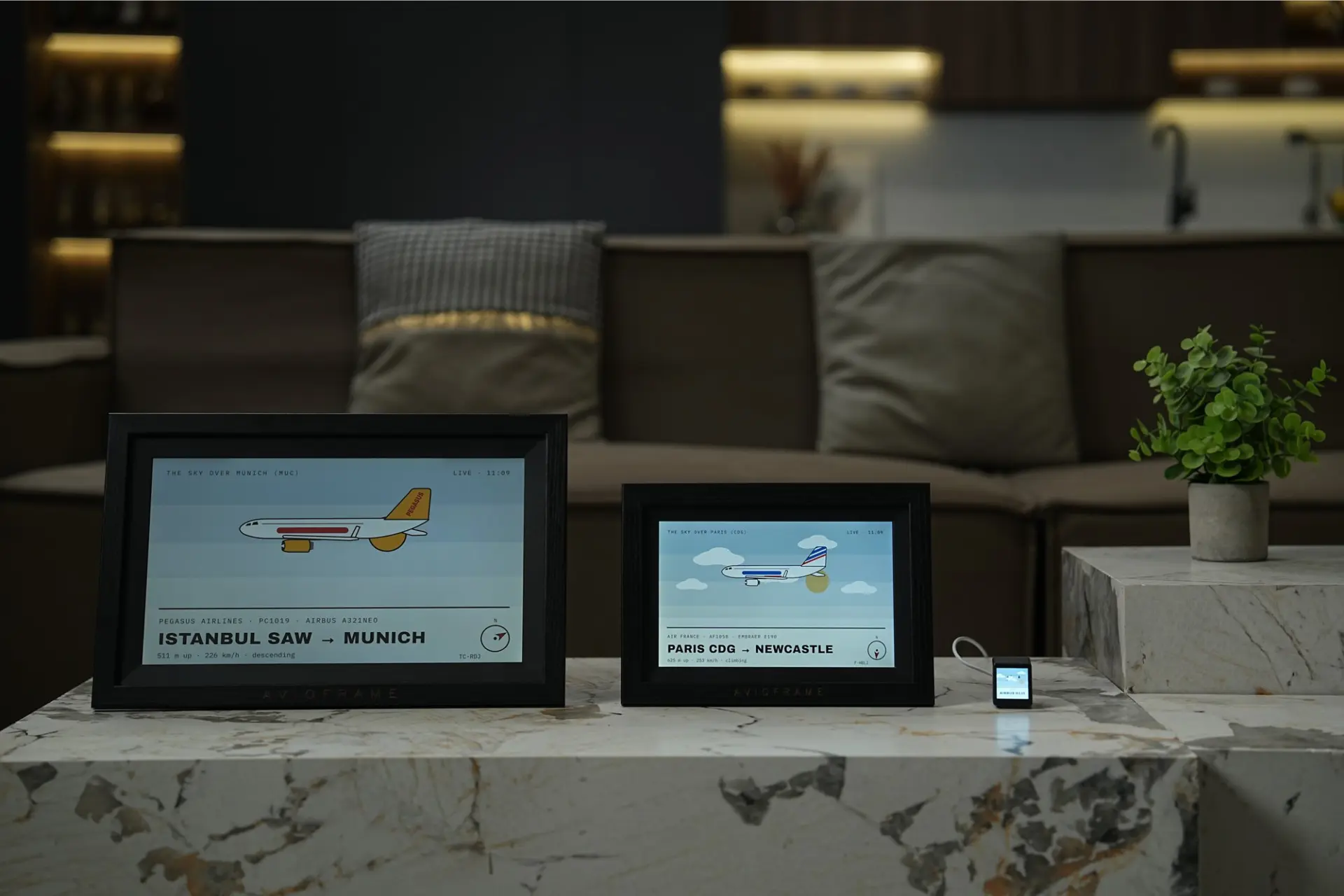
Avioframe Gallery is black with a removable wood-look frame, so it can sit in a living room as a framed piece or run frameless for a cleaner, more technical look. A table stand is included in the box. The 15.6-inch model suits a sideboard or a shelf where it is a focal point. The 10.1-inch model fits tighter spaces such as a desk, a bookshelf, or a kitchen counter.
How Does It Fit With the Rest of Avioframe?
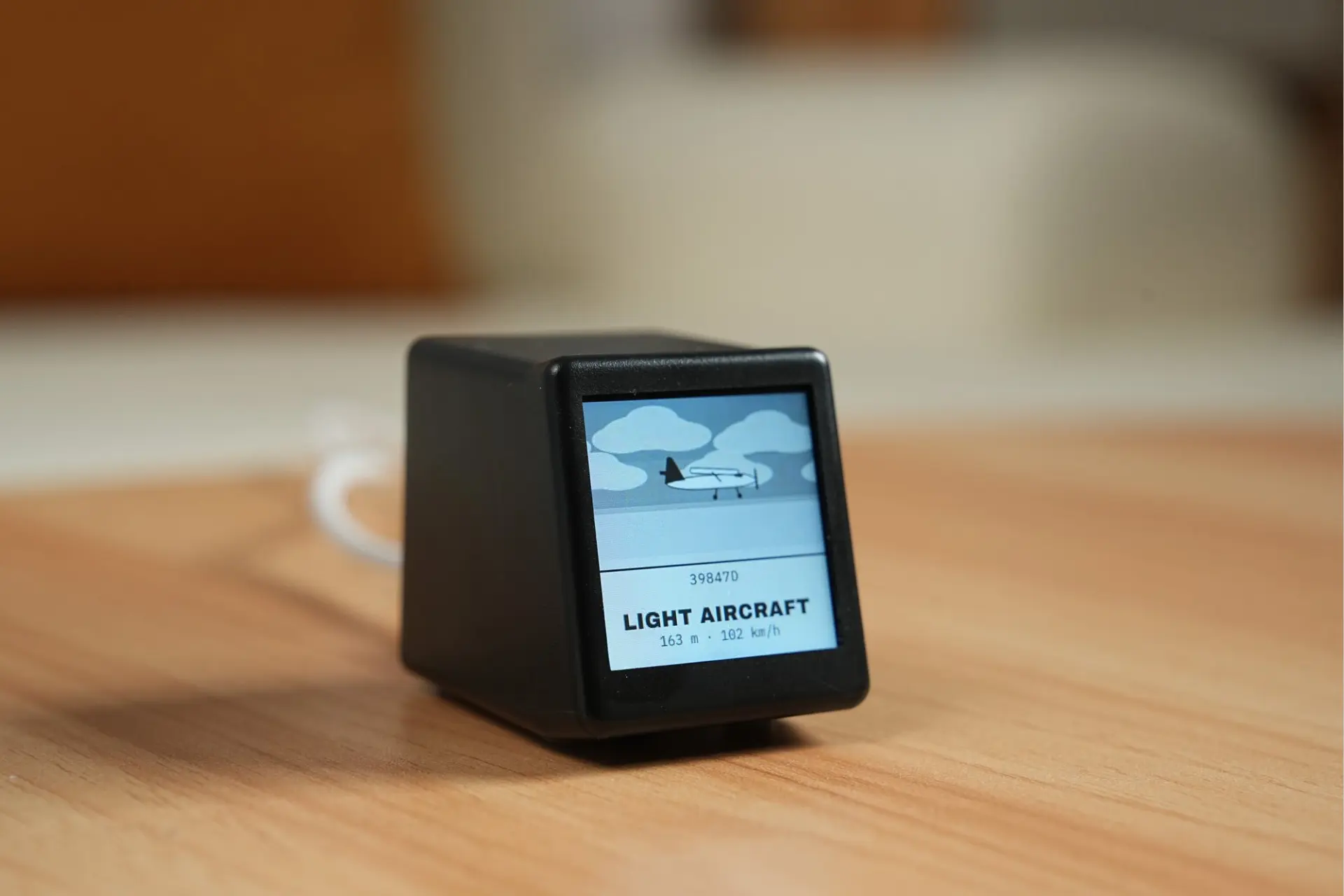
The Gallery shares its software approach with the smaller Avioframe displays. The AvioMini is a 45mm cube with a 1.54-inch screen for a desk or nightstand. The Live has a 4.3-inch backlit screen for a shelf. The Paper uses a 7.3-inch color E Ink screen that looks like a printed picture. The Gallery is the largest of the group. Each display has its own address and view settings, so you can run a Gallery in the living room and an AvioMini on a desk and configure each separately. Early backers during the first seven days of the Kickstarter campaign get an AvioMini included with their Gallery.
How Does It Compare to Alternatives?
Hobbyist flight trackers built on LED matrices or small single-board computers are usually small, require some assembly or configuration, and are designed for desk use. Flight tracking apps like Flightradar24 show far more aircraft and far more detail but live on a phone. Avioframe Gallery sits between the two: a finished product with a large screen designed to be left on in a room, trading the depth of a full tracking app for something you can glance at and enjoy from across the room.
Best Ways to Use Avioframe Gallery
The living room is the natural home for the 15.6-inch model. A display on a sideboard turns each plane overhead into a small event. Families can put the Kids view on for children who want to know where each plane is going. Aviation fans can leave the Radar or Spotter Card view running and keep a running tally of what passes. For a home office, the 10.1-inch model on a shelf works as a quiet background display, and Track a flight is useful on days when someone you know is in the air.
Pros and Cons
- ✅ 15.6-inch and 10.1-inch sizes, readable from across a room in a way smaller flight displays are not
- ✅ Aircraft drawn in real airline colors with flight number, route, altitude, and speed
- ✅ More than ten views from poster layouts to radar and departure boards
- ✅ Track a flight mode follows one flight of your choice along its route
- ✅ Touchscreen and phone browser control, setup in about three minutes with no app
- ✅ Removable wood-look frame and included table stand
- ✅ Live flight data included with software updates over Wi-Fi
- ✅ From a company already shipping three other displays to customers in more than ten countries
- ✅ Early backers in the first seven days get an AvioMini included
- 🟡 Crowdfunding campaign with December 2026 delivery planned; timelines can shift
- 🟡 What you see depends on your location; homes far from airports and busy flight paths will see fewer aircraft
Who Is Avioframe Gallery Best For?
- Plane spotters and aviation fans: A large, always-on display that names every flight overhead without opening an app.
- Homes under a flight path: The more traffic overhead, the more Avioframe Gallery has to show.
- Families with curious children: The Kids view and the live flight names turn each plane into a quick geography lesson.
- Buyers who care how gadgets look: The black body, removable wood-look frame, and real airline colors make it work as living room decor.
- Gift buyers for pilots and travelers: An unusual present that sets up from a phone in about three minutes.
Final Verdict: Is Avioframe Gallery Worth Watching?
Avioframe Gallery takes an idea the company has already proven at smaller sizes and scales it up to something that belongs on a living room shelf. The views are varied, setup is quick, and Track a flight adds a use case beyond ambient decoration. The company's existing shipping record across three products in more than ten countries is meaningful context for a crowdfunded launch. If you live under a flight path and like the idea of a plane-spotter's display in your living room, Avioframe Gallery is worth checking when the Kickstarter goes live on November 5. Use avioframe.com/try to see your local traffic first, and check the campaign page for current pricing and terms before you back it.
About Previewer
Previewer is an independent product discovery platform featuring honest, in-depth reviews of emerging and noteworthy brands across food, wellness, gear, and lifestyle. Every product we feature is selected on merit, and our reviews are written to help real people make informed decisions, not to push a sale. If a brand is featured here, it's because we think it's worth your attention.
Last updated November 2026